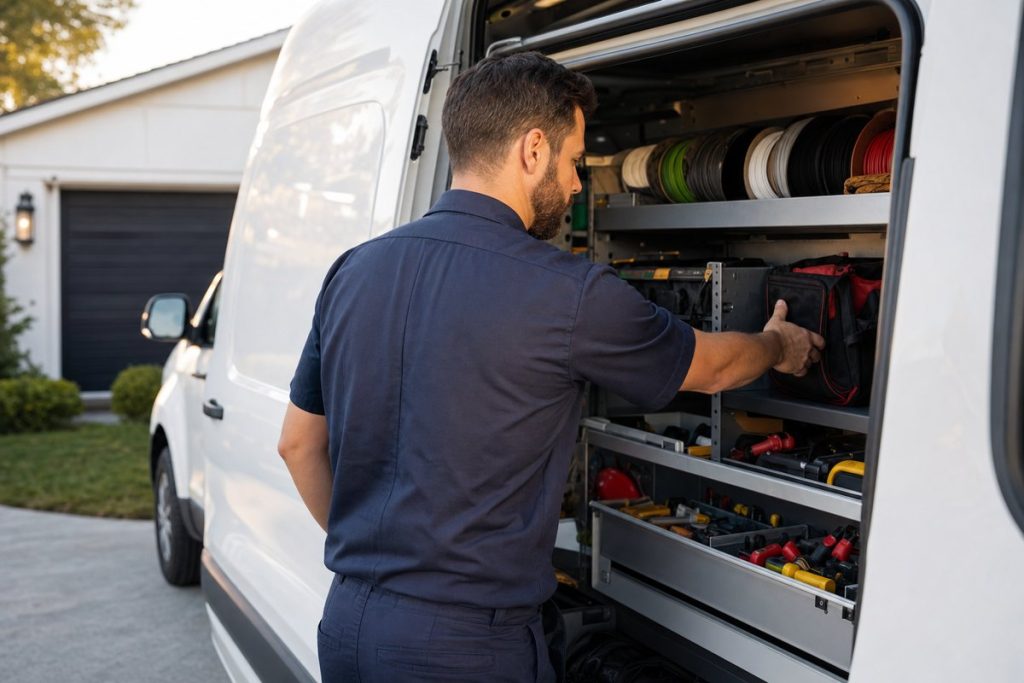
A breaker panel starts buzzing at 9 p.m. The homeowner doesn’t open a laptop. They grab a phone, type “electrician” plus the name of their town, and call one of the first few names on the map. That spot on the map is your Google Business Profile, and for a lot of electrical contractors it’s the hardest-working salesperson on the payroll, even if nobody has touched it since the day it got verified.
I’ve been doing search marketing since 2003. The profile is still where I start with any trade business. Everything below stays on the profile itself: the name, the categories, the towns you cover, reviews, posts, and the numbers that tell you whether any of it works. Website pages and backlinks are a different job, and I’ve covered those in my local SEO guide for electricians. If you run a different trade too, my full GBP guide covers the profile for any local business.
Jump to a section:
- Most electrical calls start on the map
- Your business name has to match the truck
- Choosing categories
- Setting the towns you cover
- Services, description and hours
- Photos of real panels beat stock images
- Reviews come from a habit
- Posts keep things current
- Mistakes that quietly cost you calls
- How to tell whether it’s paying off
- Questions electricians ask me
Most electrical calls start on the map, not on your website
Think about how people hire an electrician. Nobody browses for one on a lazy Sunday. Something sparked, a GFCI won’t reset, the inspector flagged the panel, or the new EV needs a 240-volt circuit before Friday. So they search on a phone, and the first thing they see is a map with three businesses under it.
That block of three is the map pack. People call straight from it. They see your phone number, your rating, your hours and a few photos, and for an emergency call that’s plenty to decide on. Your website might never get a visit.

So this isn’t a directory entry. It’s the page most new callers judge you by, usually in under a minute, often while standing in a dark kitchen holding a flashlight.
Google tells you what decides who shows up in local search
Google is unusually direct about this one. Its help page on improving local ranking says local results are based mainly on relevance, distance and prominence. Relevance is how well your profile matches the search. Distance is how far you are from the person searching. Prominence is how well known you are, which the same page says is informed partly by how many reviews you have and how many websites link to you.
You can’t move your shop. Relevance, though, is almost entirely in your hands, and prominence grows with time and good work. Every section that follows is about one of those two.
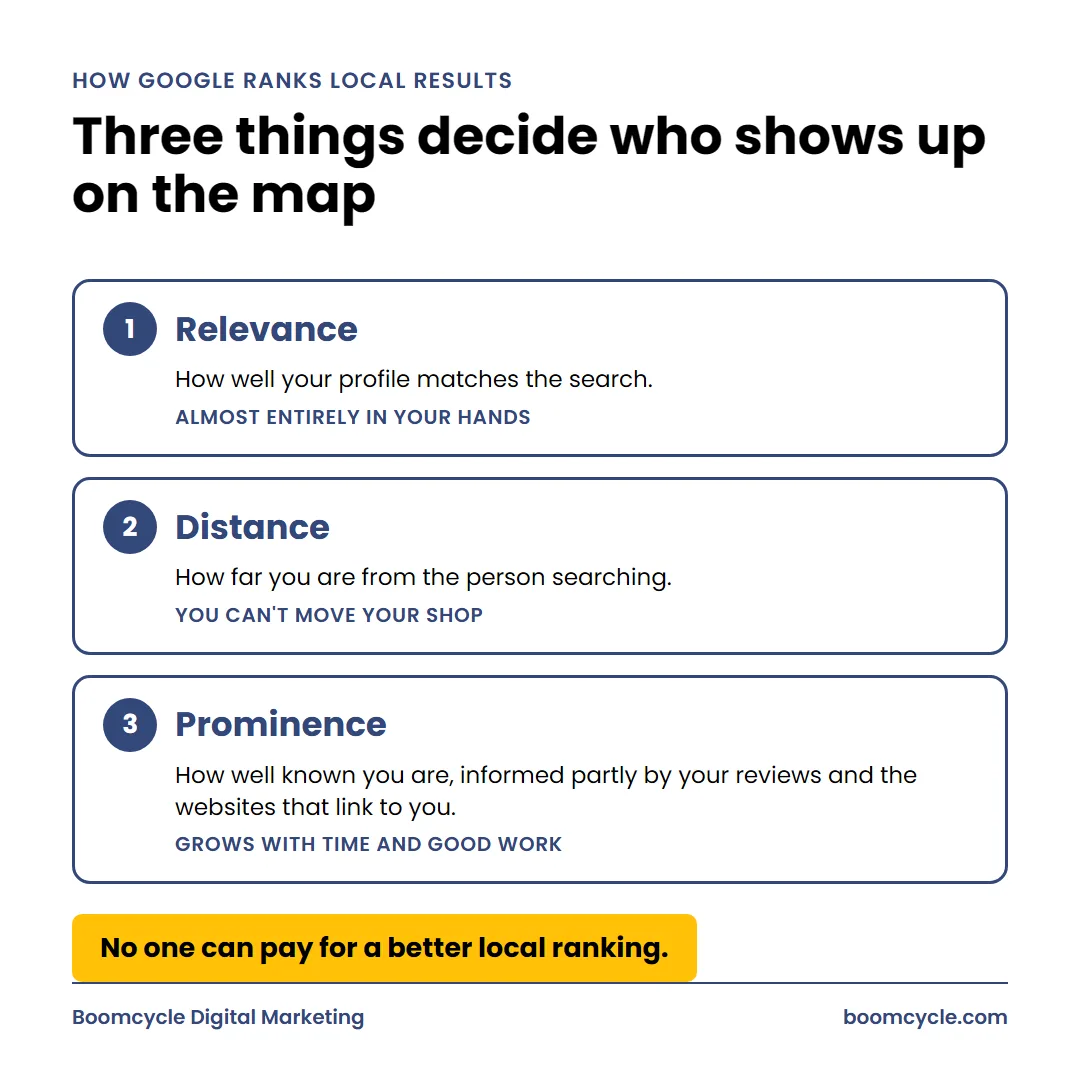
The same page says there’s no way to request or pay for a better local ranking. I like that line. It means most of the shortcuts people try to sell you are fiction, and the boring work wins.
Your business name has to match the truck, not a keyword list
The fastest way to lose your spot is to stuff the name. “Smith Electric, Panel Upgrades, EV Chargers, Licensed Electrician Oakland” looks clever for about a month. Then a competitor reports it.
The guidelines for representing your business on Google say the name should reflect your real-world name, as used on your storefront, website and stationery, and as people already know it. They also spell out the consequence. Adding unnecessary information to the name could result in suspension. Marketing taglines, phone numbers, website URLs and hours are all on the list of things a name must not include.
Suspension hurts. While you appeal, you’re gone from the map, and for a shop that books most of its new work there, that’s a brutal week of silence on the phones.
What about renaming the company?
Say you’ve legally registered “Smith Electric & EV Charging.” It’s painted on your vans, printed on your invoices and sitting at the top of your website. Then it’s your real name, and you can use it. That’s a different thing from typing extra words into a form field. The test I give owners is simple. Could somebody read the name off your truck in a parking lot? If not, it doesn’t belong there.

Watch for the quieter version of the same mistake, too. The same guidelines don’t allow fully capitalized words, and legal terms like “Inc.” need real-world proof such as signage or invoices. Type it the way it appears on the side of the van. Boring is safe.
Your primary category decides which searches you’re even eligible for
Categories are where I see the most money left on the table. The help page on managing business categories says plainly that the categories you select affect your local ranking. They’re the clearest signal you can send about what you are. Get them wrong and little else helps.
For most shops the primary pick is obvious. It’s Electrician. Choose it from the list that appears as you type, since you can’t invent your own wording, and the guidelines ask for the most specific option that still describes the core business.
Additional categories are departments, not a service menu
This is where people overdo it. The guidelines say to use as few categories as possible and not to use them as keywords or to describe attributes. Their framing is useful, too. Good categories complete the sentence “this business IS a,” not “this business HAS a.”
So if half your revenue is lighting design and installation, and you’d describe yourself that way to a stranger at a barbecue, look for a matching option when you type it in. One generator hookup last spring? Leave it off. That job belongs in your services list, which we’ll get to in a minute.
Curious what the shops around you picked? Search “electrician” from a job site in your busiest town and open the top few results. Their main pick shows right under each business name. It won’t tell you what to choose, but it’ll show you quickly if you’re the only one in town calling yourself something odd, and that’s worth knowing before a homeowner notices it too.
One warning before you start editing. Changing categories can trigger a request to verify your business again. Do it on a quiet week, not right before your busiest season. If verification has bitten you before, my notes on verifying a Google Business Profile walk through the usual snags.
Set a service area that matches where your vans actually go
Most electricians work at the job site. That makes you what Google calls a service-area business. The setup is different.
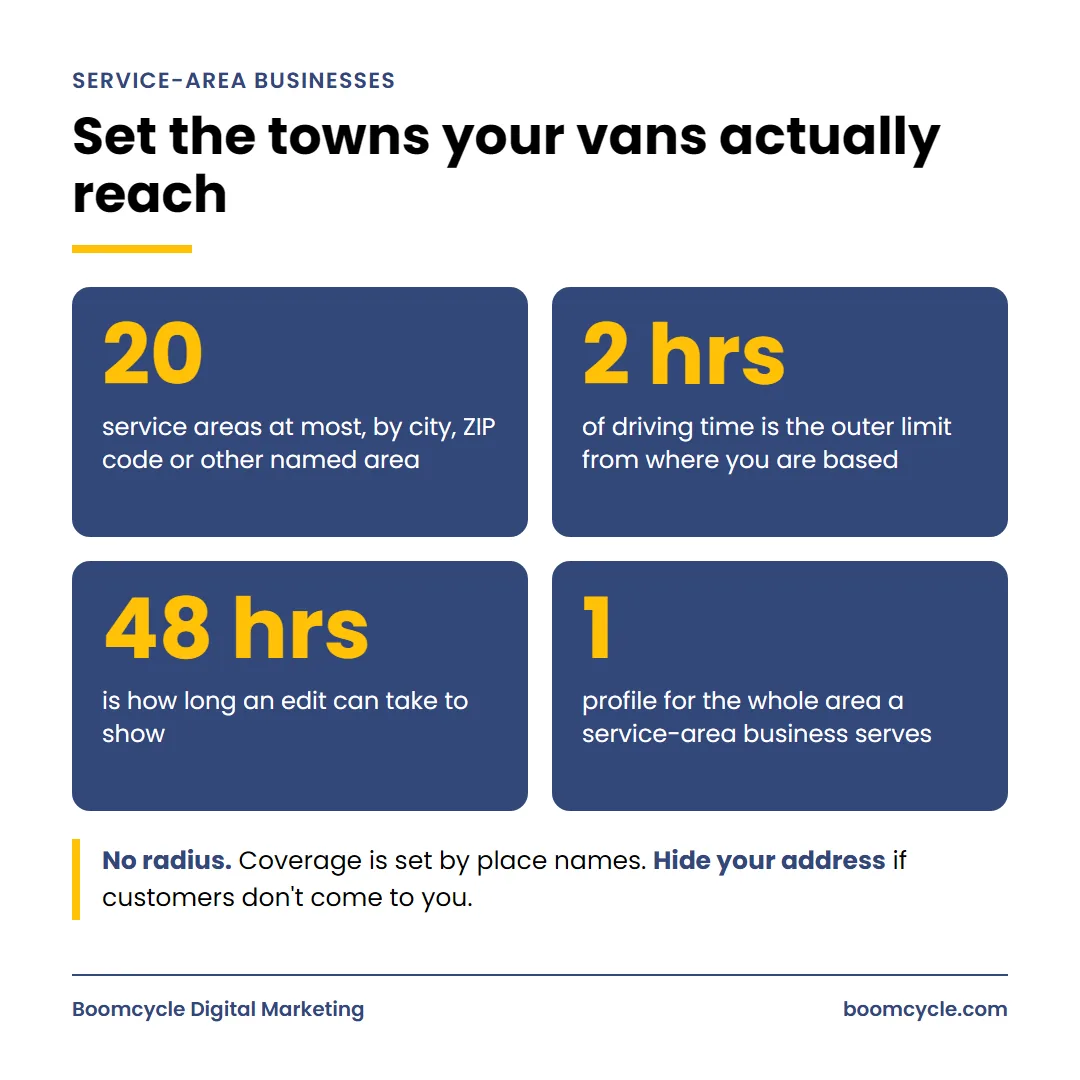
Hide your home if callers don’t come to you
The help page on managing service areas says that if you don’t serve people at your business location, you should remove that location and list only the areas you serve. That’s the rule. The representation guidelines say the same thing: a service-area business should hide its street address.
Plenty of owners run the business from home. Hiding it isn’t a ranking trick. It’s what the rules ask for, and it also keeps strangers from knocking on your kitchen door at dinnertime wanting a quote on a subpanel.
Got a real shop with permanent signage, where people walk in to buy parts or sit down with you? Then you’re a hybrid. You can show the location and set your coverage at the same time.
Pick the towns you’d happily drive to
You can list up to 20 service areas, using cities, ZIP codes or other named areas. The overall boundary shouldn’t stretch beyond about 2 hours of driving time from where the business is based, and edits can take up to 48 hours to show. You also can’t draw a radius anymore. Everything is defined by place names.
Twenty towns won’t make you rank in twenty towns. Distance still counts. The list mostly tells people where you’ll go. List the places you’d take a job in on a rainy Tuesday, then build real support for your favorite cities on your website, because the map can’t carry a town on its own. My local SEO tips for electricians cover how to write those town pages.
Keep it to one. A service-area business can only have one profile for the whole area it serves, so a fake office in the next town over is a guideline violation, not a growth plan.
Services, the description and your hours tell Google what kind of electrician you are
Once the name, categories and coverage are right, add the detail. That’s where an electrical service company that lives on EV chargers starts to look different from one that mostly does tenant improvements for commercial clients. Specifics win here.
Fill out the services list like a menu board
Add each service you want to be hired for, with a plain description. Panel upgrades. EV charger installation. Whole-home rewiring. Generator hookups. Lighting retrofits. Troubleshooting and repairs. Write each one the way you’d explain it to a homeowner on the phone, because that’s exactly who reads it.
Be picky. Don’t list work you subcontract out or would rather turn down, since every service you list invites a call about it, and a stream of leads for jobs you don’t want is its own kind of headache.
Use the 750 characters well
The description field has a hard limit of 750 characters. Google’s editing instructions say to cover what you offer, what makes you special and how long you’ve been in business, with no URLs and no focus on promotions or prices. Keep it factual. Mention your real specialties, the kind of properties you work on, and the towns you cover.
Write it, then read it out loud. If it sounds like a radio ad, cut it back. I wrote a separate piece on writing your description with entities if you want to be more deliberate about the content.
Don’t skip the small fields
Add your opening date. The editing help page says Google may use it on some search surfaces to show how many years a business has been operating, and a shop that’s been wiring houses since 1998 should get credit for that. In regions where it’s offered, you can also add one social link per platform. It’s a two-minute job.
Then check your website link. Point it at a page that talks about your electrical work and the towns you serve, rather than a generic home page that says “Welcome.”
Post the hours you actually answer the phone
Set your regular hours, and use special hours for holidays. If you actually answer the phone at 2 a.m., say so. If you don’t, don’t. In my experience, a listing that shows “Closed” at the moment someone searches tends to lose ground to the ones that show “Open,” which is one more reason a real 24-hour emergency line is worth advertising honestly.

The flip side hurts more. A caller who reaches voicemail on a “24 hours” listing at midnight, with half the house dark, usually leaves a review about it.
Photos of real panels and real trucks do more than stock images
Homeowners want to know who’s coming inside. Photos answer that faster than any sentence you could write.
Upload your vans with the logo showing. Your crew in uniform. A clean panel install, a tidy charger on a garage wall, the inside of a finished remodel. A before-and-after of a scorched, double-tapped breaker next to the new panel tells a homeowner more about your standards than “quality workmanship” ever will.
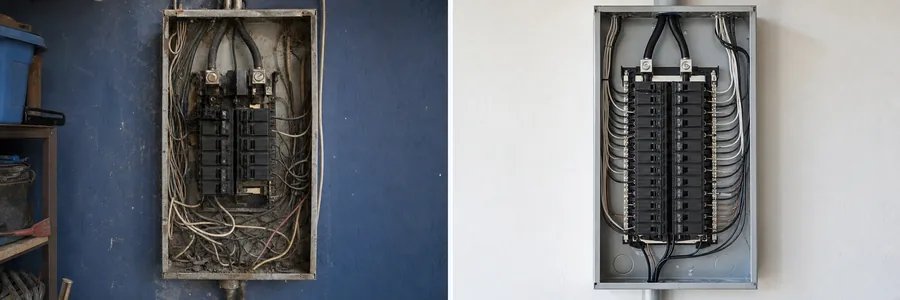
Skip stock photos of a smiling model holding a multimeter. People spot them instantly. Add a few new photos as jobs wrap up instead of dumping 80 at once, and make it somebody’s job by name, because photo content never gets added when it’s nobody’s job.
Google reviews come from a habit you run every week
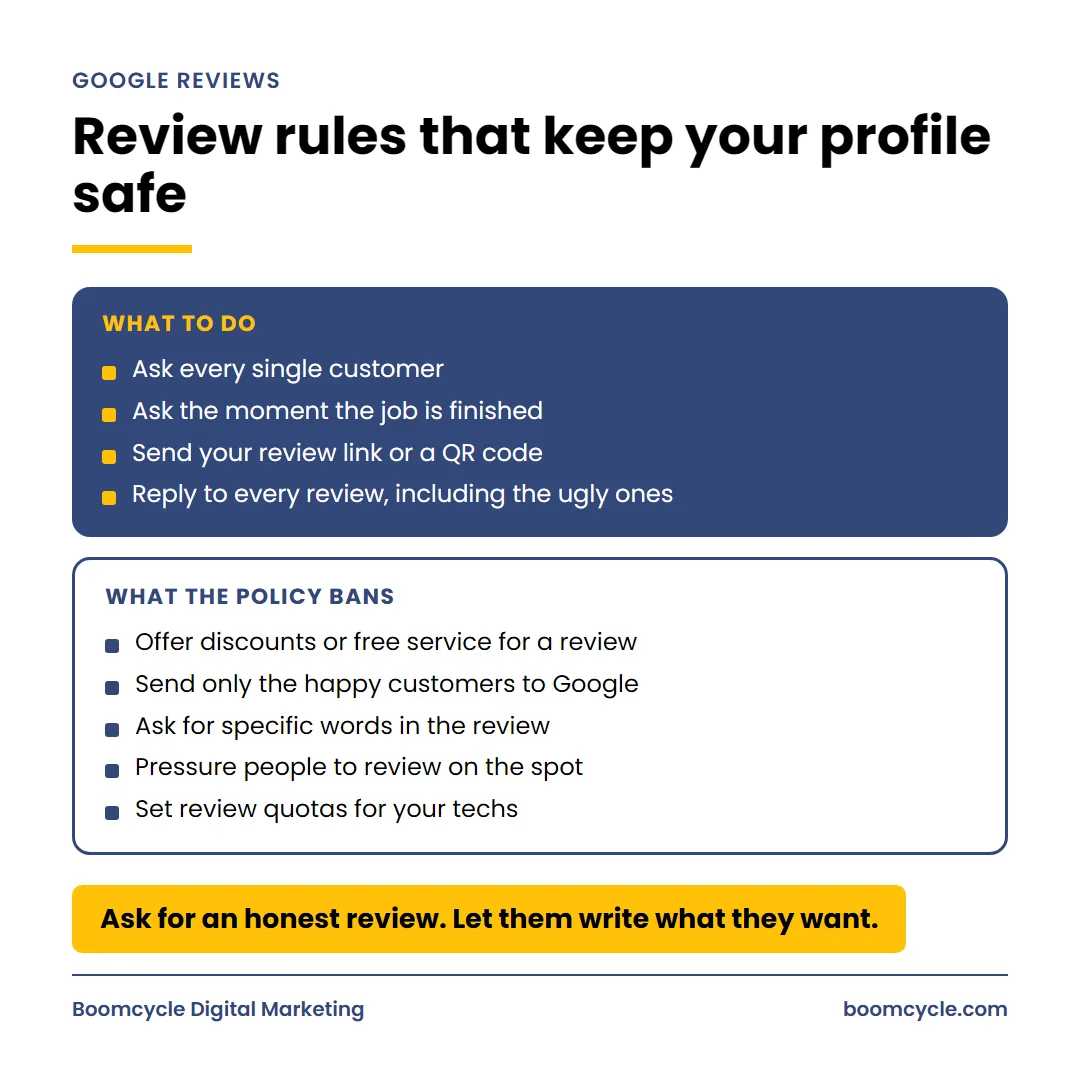
Reviews feed prominence, and they’re the first thing a nervous homeowner reads. Google’s own advice is short. Remind people to leave one, and make it easy with a link or a QR code.
Ask at the moment the job is finished
Don’t wait a week. The best moment is when the lights come back on and the homeowner is relieved. Have the tech mention it on site, then send a text with your review link that evening. If you don’t know where to find that link, here’s how to find and share your review link.
Ask every single customer. That part matters more than most owners expect, and skipping it is exactly where shops get into trouble.
Some review tactics break the rules outright
The prohibited and restricted content policy doesn’t leave much room. Merchants may not offer incentives such as discounts or free services in exchange for a review. They also may not discourage negative reviews or selectively solicit positive ones. That second rule kills a popular setup called review gating, where a quick survey sends happy people to Google and unhappy ones to a private feedback form. It’s a policy violation.
There’s more. The same policy says merchants shouldn’t pressure people to review on the premises, shouldn’t request that specific content be included, and shouldn’t ask staff to collect a set number of reviews. So no scripts asking people to mention “panel upgrade in Walnut Creek,” and no review quotas for your techs. Ask for an honest review and let them write what they want.
Fake reviews are a separate headache. Somebody else usually aims those at you, and I covered that in six truths about fighting fake reviews.
Reply to every review, including the ugly ones
Keep replies short and conversational, not promotional. On a bad review, use the person’s name, acknowledge the specific complaint and say what you did about it. The audience for that reply isn’t the angry reviewer. It’s the next ten potential customers reading it before they pick up the phone.

Posts keep the profile current between big jobs
Posts are short updates that show on Search and Maps. There are three types: updates, offers and events. An update can carry a photo, a description and a button that links to your site. Offers need a title and dates.
Two details are worth knowing. Posts older than 6 months are archived unless you set a date range. And you can schedule posts ahead of time, including on a repeating schedule, which means one hour a month can cover the whole quarter.
Use them for real news. A finished commercial tenant improvement, with photos. A note that you now install a specific brand of home battery. A storm-season reminder about whole-home surge protection. Skip phone numbers in the text, too. Posts with a number Google can’t connect to the business may get rejected, so let the call button handle that.
Posts won’t carry your rankings alone. What they do is show a real, active company, and they give a browsing homeowner one more reason to call you instead of the next name down the list.
Electrician GBP mistakes that quietly cost you calls
Most profiles I review aren’t broken in one big way. They leak. A handful of small problems, each one costing the odd call, add up to a lot of lost work over a year. These are the ones I see most with electricians:
- A business name padded with cities and services that don’t appear on the trucks.
- Additional categories for every service the shop has ever performed.
- A home location showing publicly for a business that only works on site.
- Hours that say “Open 24 hours” when the phone goes to voicemail at 6 p.m.
- A website link pointing at a generic home page.
- A second profile at a coworking desk or a relative’s house to “cover” another town.
- Review requests sent only to the people a tech already knows were happy.
- Zero replies to reviews, or replies that read like an ad.
Each one is fixable in an afternoon. The second profile is the riskiest, because it breaks a rule Google states in plain words, and the cleanup is never as fast as the setup was.
How to tell whether your profile optimization is paying off
You’re busy. “Is it working” needs a fast answer, and there’s one built in: the Performance report.
Per the performance help page, the data covers views, searches and actions, from both organic results and Google Ads. It’s available only for verified Business Profiles. The searches metric, which lists the terms people used to find you, is updated at the start of each month and can take up to 5 days to appear. Views count unique visitors, and a person is only counted once a day.
Calls matter more than views
Calls, website clicks, direction requests and messages turn into work. Views are interesting. Calls pay the bills.
Compare each month against the same month last year where you can. Demand is seasonal. A heat wave or a winter storm will move your numbers more than any edit you make.
Then tie it back to booked jobs. Ask every new caller how they found you, log it, and check that log against the call count in the report. Add a tracking tag to your website link as well, so your analytics can tell profile visitors apart from everyone else. Now you know which leads came from the map and which of them became paying work.

Read the search terms like a job board
The searches list is the most underused part of the report. It shows the actual phrases that put you in front of people. Read it every month.
Say “EV charger installation” keeps showing up. If you’d love more of that work, make sure it’s in your services list, in your description and in your photos. If a phrase shows up for work you don’t do, that’s a relevance problem worth fixing before it turns into a lead you have to turn away. And if your own business name dominates the list, most people finding you already knew you. That’s nice, but the map isn’t bringing you many strangers yet.
Profile rankings are a means, not the scoreboard
Plenty of owners obsess over their spot for one phrase, checked from their own office. That position changes a few blocks away, because distance is part of the formula. Watch calls instead. Booked jobs, too. When the calls come in for the work you want, in the towns you want, it’s doing its job.
Want to hand this off? It’s the daily work behind our local SEO and Google Maps service. My team handles GBP optimization and the rest of the electrician marketing picture for local businesses across Northern California, and I’m happy to look at yours and tell you what I’d change first.
Questions electricians ask me about their Google Business Profile
How do I track performance on Google My Business?
Open the Performance report. Sign in to the account that manages it, search your business name and click Performance, or in the Maps app tap Business, then See more next to Performance. Pick a date range and you’ll see interactions, calls, website clicks, directions and the search terms people used. Nothing shows until you’re verified.
Is SEO still worth it in 2026?
For electricians, yes. People still search when the power goes out, and they still call whoever looks trustworthy first. What’s changed is where they see you: the map, the regular results, and now AI answers stacked on top. A complete, accurate profile and a website that backs it up feed all three. Nobody can honestly promise you a position, and I won’t. But a shop nobody can find doesn’t get the call.
What is the 80/20 rule in SEO?
It’s the Pareto idea applied to search. A small share of your effort produces most of your results. For electrician SEO on the map, that short list is the name, the primary pick in your categories, the coverage, reviews and photos. Get those right first, before you spend an hour writing posts or fiddling with attributes.
Can I set up a separate profile for each city I serve?
No. A service-area business can only have one for the whole area it serves, and extra ones at virtual offices or mailboxes violate the guidelines. Cover other towns through your coverage settings and through real pages on your website.
Should I show where I work from if it’s my house?
Not if people don’t come to you. Service-area businesses are told to hide it and list the areas they serve instead. Hidden is the correct setting. Nobody needs your driveway on a map.
Can I ask customers to mention the job in their review?
Ask for an honest review, and stop there. No scripts. Most happy customers mention the job anyway, in their own words, which reads better than anything you’d write for them.
Does responding to reviews help?
It does. Responding to reviews sits right on Google’s own list of tips for improving local ranking, and it’s the cheapest trust signal you have. A calm, specific reply to a one-star review often does more for the next caller than another five-star review would.