Getting your Google Business Profile verified shouldn’t feel like cracking a bank vault. But Google keeps tightening the process, and business owners who want to show up on Google Maps in more than one town keep hitting walls they didn’t see coming.
This guide covers the official methods first, then the strategies that actually work when the standard options don’t fit: a service-area business run from home, an office in a coworking space, or a company adding locations across a region.
- Google picks which verification methods you see. You can use any one it offers, but you can’t request a different one.
- After you finish the steps, Google’s review takes up to 5 business days.
- Postcard codes usually arrive within 14 days and expire after 30.
- A website already verified in Google Search Console can get you verified instantly.
Why verification matters more than ever
Google’s verification process keeps getting stricter, and for good reason. Map results have been full of fake listings, virtual offices posing as real businesses, and spam.
That’s a real problem for legitimate businesses that don’t fit the storefront mold. Service-area businesses, home-based operations, and companies expanding regionally all run into hurdles the one-size-fits-all process wasn’t built for.
The stakes are simple. An unverified profile stays invisible in local search results. A verified one can appear in the map pack, where the calls and visits come from.
- 5 business days, the longest Google’s review usually takes
- 14 days for most postcard codes to arrive
- 30 days before a postcard code expires
- 20 service areas allowed on one profile
Google business profile verification methods
Google decides which methods you’ll see based on your business type, public information, region, and hours. You don’t get to choose upfront, which frustrates plenty of owners hoping to dodge one method in particular. Here’s what might show up.
Video recording
Film your location in one continuous take: outside signage, your workspace, and proof you operate there. Turn on GPS first. Easy for a storefront, tricky for a home business (more on that below).
Phone or text
Google calls or texts a code to your business number. Have a person answer: phone menu systems can’t receive the code.
Usually offered to businesses with a strong, consistent presence across the web. Follow the steps in the email Google sends.
Live video call
A Google support rep walks through your business with you in real time. Treat it like a friendly inspection: signage visible, documents ready, workspace tidy.
Postcard
Google mails a code to your address. Less common now, slow, but reliable for a real physical location.
Worst case, from starting verification to a verified profile. Five business days is drawn as one calendar week.
- Waiting for the postcard to arrive
- Google’s review (up to 5 business days)
Source: Google Business Profile Help, “Verify your business on Google”. Reviews occasionally run longer.

How to verify without a postcard
Two routes can skip the wait entirely.
Google Search Console verification
If your website is already verified in Search Console, Google may verify your profile instantly. It’s one of the only cases Google names for instant approval, so do it before you start.
Bulk verification for 10 or more locations
Businesses with 10 or more locations can request bulk verification. It was built for chains and franchises, and the requirements are covered further down.
“When facing tricky challenges, be sure your name, address and phone number are consistent across the web, starting with your own website! I’m always blown away at the amount of businesses who never look at their own website once it’s published.”
David Victor, FOUNDER, Boomcycle Digital Marketing
Strategic workarounds when the standard methods don’t fit
Now for the real-world problems. These approaches work within (or creatively around) Google’s framework, and some of them sit in gray areas plenty of businesses work in anyway.
Getting instant verification instead of a video
Video verification is a headache without a traditional storefront. One approach that works: build an online footprint strong enough that Google offers instant verification instead. It takes 4 to 6 weeks of groundwork. Here’s the sequence my team follows.
- Week 1
Build a professional website
Use the same name, address, and phone number (NAP) everywhere on it, and add schema markup so Google understands the business. For our clients, this alone has unstuck some particularly stubborn verifications.
- Week 1
Connect Google Analytics 4 and Search Console
Link the site and submit your sitemap. Obvious, right? You’d be surprised how often it’s skipped.
- Weeks 1 to 2
Set up real social profiles
Facebook, Instagram, and LinkedIn, with matching NAP and regular posts that show you’re open for business.
- Weeks 2 to 3
Build industry citations
Get listed in relevant directories like Yelp and Yellow Pages, all with identical NAP. Every one of our SEO service packages includes citation building across the major sites and the obscure ones.
- Weeks 2 to 3
Use data aggregators
Services like Yext and Data Axle push your business details across the web. Yext comes with Boomcycle’s SEO services.
- Weeks 3 to 6
Give Google time to index it all
Wait a few weeks for the citations to get crawled. Don’t rush this step. It’s the one that makes the rest work.
- Then
Submit the business to Google Maps “organically”
Use a different Google account, on a different IP address, to add the business the way a regular user would, photos included.
- Then
Earn the first reviews
Ask real customers to review the new profile.
- Last
Claim it with your verified email
Claim the profile with the email tied to GA4 and Search Console, and fill it out completely.
Done in that order, this often triggers an instant verification option that skips the video entirely.
Coworking spaces and virtual offices
Google allows an office in a coworking space only if it has clear signage, receives customers during business hours, and is staffed by your own people during those hours. If you rent a real office with its own suite number, you should be in good shape. Put some inexpensive signage on the door too.
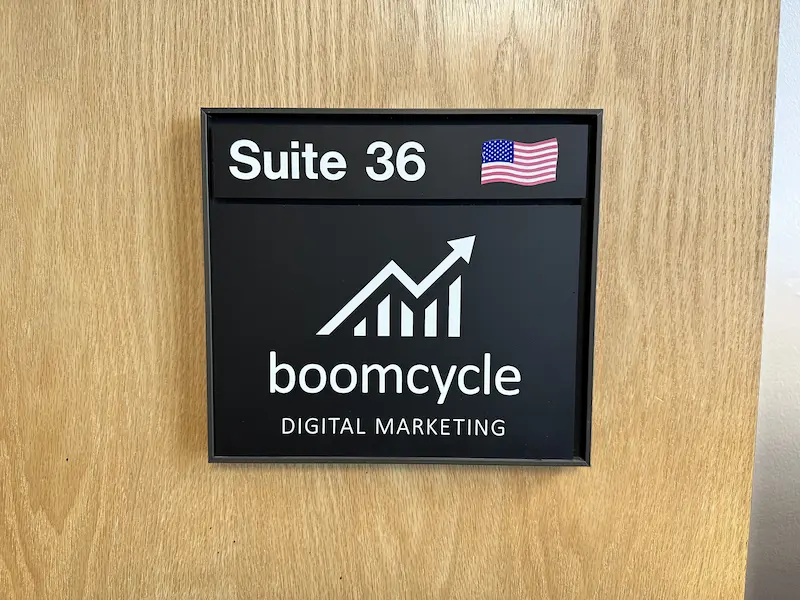
Virtual offices are a different story. Google’s guidelines say a rented mailing address you don’t operate from isn’t eligible, and a virtual receptionist doesn’t count as your staff.
| Address type | Eligible? | What it takes |
|---|---|---|
| Private office in a coworking space | Yes, with conditions | A real suite number, signage on the door and in the directory, your own staff on site during posted hours, and a direct phone line |
| Home, customers visit you | Yes | Your actual home address and permanent signage if you show the address |
| Home, you travel to customers | Yes | Your actual address, hidden by setting the profile as a service-area business |
| Virtual office | No | Not eligible unless you genuinely operate there with your own staff |
| P.O. box or remote mailbox | No | Never accepted |
The reality? Virtual offices carry a high risk of suspension and a hard road back. Unless you can meet every condition in the coworking row, you’re better off using your home address and hiding it.
Verifying a home-based business
A home business qualifies if customers come to you or you go to them. Use your real home address (never a P.O. box), and set the profile up as a service-area business if you’d rather keep the address private.
Running two businesses from one home is allowed when they’re in different categories, like dog grooming and bookkeeping. Each needs its own phone number and website. Don’t invent suite numbers to tell them apart, and don’t split one home business into several listings for different services.
The video is where home businesses get stuck. If you show your address publicly, you need permanent signage at the house. If you hide it, or don’t have signage, show other proof in the same recording:
- The nearest street sign and the address numbers on your house
- You unlocking the door and walking in
- Business cards, printed marketing, and equipment
- Your computer taking a booking or open to your website and social pages
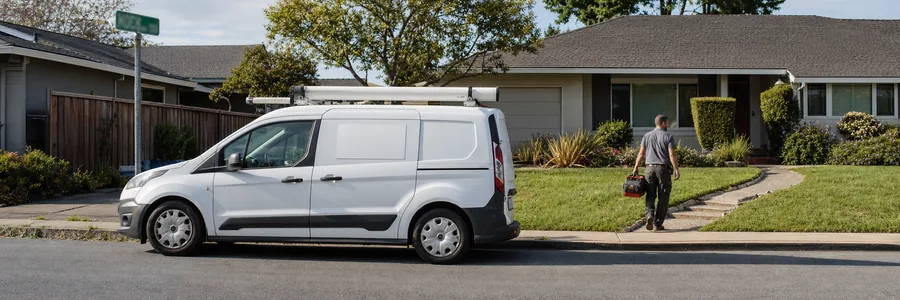
Got a work vehicle? It has to show the business name clearly, on a decal or a magnetic sign. Film it somewhere that proves you’re in your service area, like next to a street sign or a local landmark.
Scaling to multiple service-area locations
Google allows one profile per location when each location has its own service area and its own staff. Each listing should run independently, with its own phone number and team, and the service areas shouldn’t overlap.
- Up to 20 service areas per profile, by city, postal code, or region
- The whole area should sit within about 2 hours of driving from your base
- No permanent signage at your address? Google treats you as a service-area business, not a storefront
These rules exist to stop spam, but they’re a real obstacle for businesses that serve a wide region. The way through is genuine independence: separate teams, separate zones, separate contact details. Our Google Maps marketing helps businesses build that kind of presence without breaking the rules.
Google business profile bulk verification
Bulk verification is the enterprise route. To qualify:
- Your spreadsheet has 10 or more profiles from the same business
- Your business isn’t a service-area business
- No verified account already exists for those profiles (use a business group to share management)
- One account can’t hold several different businesses, so agencies can’t bulk verify a mix of clients
Sign in to Business Profile Manager and go to Verifications, then Chain, then Start. Don’t see a Verifications tab? You probably don’t have enough eligible profiles, so verify them one at a time. Google can still ask for video verification, and the profiles have to match your real size, or you’ll be asked for evidence.
Common pitfalls that trigger verification problems
Most failed verifications come down to a handful of mistakes. The first one is by far the most common, and it’s the one people least expect, because the mismatch is usually on their own website.
| Mistake | What happens | The fix |
|---|---|---|
| NAP that doesn’t match exactly | Verification stalls or fails. Even “Street” vs. “St.” can cause trouble. | Make the website, social profiles, citations, and profile identical, character for character |
| The wrong kind of address | Suspension | No P.O. boxes, unstaffed virtual offices, or coworking desks without signage and staff |
| Weak signage | Video verification gets rejected | Permanent signage with the business name, clearly visible |
| Personal details on camera | A privacy risk, not a pass | Keep faces, client information, and private papers out of the video |
| Big edits from a new account | Re-verification | Change name, address, or phone from the established owner account |
| Assuming instant means permanent | A second verification request later | Keep the profile accurate and expect Google to check again |
When your profile gets suspended
Suspensions usually follow deceptive content or a guidelines violation. You fight one through Google’s appeals tool, and the evidence you attach does the arguing for you.
Google lets you submit an appeal for a decision only once. Gather everything first: photos of your signage, utility bills, a business license, and proof you serve customers at the listed address. Every document should show the same business name and address as the profile.
If the appeal is denied, Google may offer one more review where you can add evidence you left out. Managing more than 10 profiles? The tool will ask whether you’re requesting bulk reinstatement. Full details are in Google’s help page on suspended profiles.
Putting it all together
Verification is Google’s spam filter, and legitimate businesses sometimes get caught in it. Start with the foundation: identical NAP everywhere, a professional website with schema markup, and real operations at the address you list. Then pick the strategies that match how your business actually works.
Whether it’s your first listing or your fiftieth, the goal is the same. Earn Google’s trust, and the map pack gets a lot more reachable.
For the technical details, see Google’s official verification guide. If you’re working through a coworking address, the Sterling Sky guide covers what actually works.